

iPhone
How to Fix an iPhone Charging Port
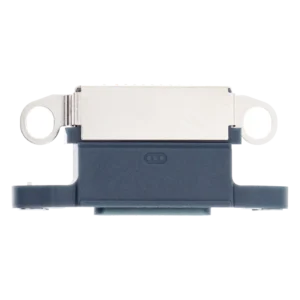
Difficulty: Moderate–Hard
Time: 40–75 min Our repairs: 90-day warranty
Phone not charging, or only at a certain angle? The charging port and its flex cable wear out or fill with lint. On most iPhones it’s a no-solder flex swap. This guide shows how to reach the charging assembly, replace it, and confirm charging, the mic and wired audio all work.
Before you start:
- Charging-port flex often runs under the battery and screws of several brackets — photograph each step.
- Disconnect the battery first.
- Some ports are soldered — confirm yours is a flex/board swap before starting.
What you'll need
- The replacement partshop parts — for your exact model
- Opening Picks (6-pack)we stock it
- Precision Spudger & Opening Toolwe stock it
- Anti-Static Metal Pry Barwe stock it
- Precision Driver Kitwe stock it
- ESD Tweezerswe stock it
- Shop all repair tools →
Choosing your part: Many phones use a charging-port flex (no soldering); choose the OEM/high-grade flex for your exact model so the mic, antenna and fast-charge lines all work.
Step-by-step
- 1 Power down & openSwitch off, open the device, and disconnect the battery.
- 2 Clear the pathRemove the brackets, speaker and any flex cables covering the charging assembly. Keep screws organised — they vary in length.
- 3 Swap the portLift the old charging-port flex, transfer any gaskets/seals, and seat the new one — make sure connectors and screw posts line up.
- 4 Test charging & micReconnect the battery and screen, plug in, and confirm it charges, the mic works on a call, and (if applicable) wired audio.
- 5 ReassembleReinstall brackets and screws in reverse order and close up.
Not comfortable doing it yourself? We've got you. Mail it in from anywhere in the US, or book our New Haven shop (appointment preferred — call or text ahead). Most repairs are done same-day with a 90-day warranty.
Get a repair quote Mail-in repair