

Screens & LCDs
Showing 281–300 of 5246 results
💬
Not sure which part you need? A 60-sec chat prevents 90% of wrong-model returns.
Most-returned category · Crisp chat (bottom-right) replies in <2 min during business hours
-
Digitizer For iPad 2 (Home Button Pre-Installed) (Aftermarket Plus) (Black)
$49.99 Add to cart -
Digitizer For iPad 2 (Home Button Pre-Installed) (Aftermarket Plus) (White)
$49.99 Add to cart -

Digitizer For iPad 3 / iPad 4 (Home Button Pre-Installed For iPad 3) (Aftermarket Plus) (Black)
$49.99 Add to cart -

Digitizer For iPad 3 / iPad 4 (Home Button Pre-Installed For iPad 3) (Aftermarket Plus) (White)
$49.99 Add to cart -
Digitizer For iPad 3 / iPad 4 (Home Button Pre-Installed For iPad 4) (Aftermarket Plus) (Black)
$49.99 Add to cart -

Digitizer For iPad 3 / iPad 4 (Home Button Pre-Installed For iPad 4) (Aftermarket Plus) (White)
$49.99 Add to cart -

Digitizer For iPad 6 (2018) (Aftermarket Plus) (Black)
$49.99 Add to cart -
Digitizer For iPad 6 (2018) (Aftermarket Plus) (White)
$49.99 Add to cart -
Digitizer For iPad 6 (2018) (Aftermarket Pro: XO7) (Black)
$49.99 Add to cart -
Digitizer For iPad 6 (2018) (Aftermarket Pro: XO7) (White)
$49.99 Add to cart -
Digitizer For iPad 6 (2018) (Black) (Premium)
$49.99 Add to cart -
Digitizer For iPad 6 (2018) (White) (Premium)
$49.99 Add to cart -
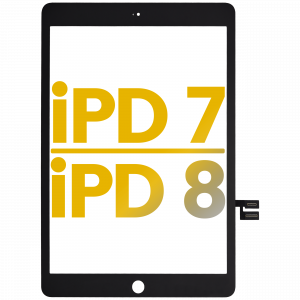
Digitizer For iPad 7 (2019) / iPad 8 (2020) (Premium) (Black)
$51.99 Add to cart -
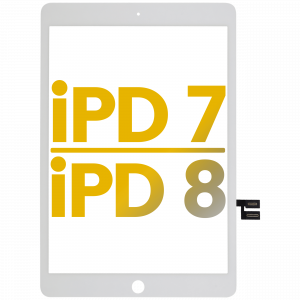
Digitizer For iPad 7 (2019) / iPad 8 (2020) (Premium) (White)
$49.99 Add to cart -
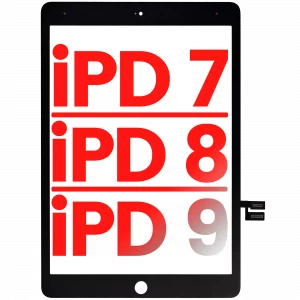
Digitizer For iPad 7 (2019) / iPad 8 (2020) / iPad 9 (2021) (Aftermarket Plus) (Black)
$49.99 Add to cart -
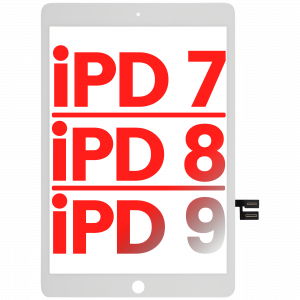
Digitizer For iPad 7 (2019) / iPad 8 (2020) / iPad 9 (2021) (Aftermarket Plus) (White)
$49.99 Add to cart -
Digitizer For iPad 7 (2019) / iPad 8 (2020) / iPad 9 (2021) (Aftermarket Pro: XO7) (Black)
$49.99 Add to cart -
Digitizer For iPad 7 (2019) / iPad 8 (2020) / iPad 9 (2021) (Aftermarket Pro: XO7) (White)
$49.99 Add to cart -
Digitizer For iPad 7 (2019) / iPad 8 (2020) / iPad 9 (2021) (Premium) (Black)
$50.99 Add to cart -
Digitizer For iPad 7 (2019) / iPad 8 (2020) / iPad 9 (2021) (Premium) (White)
$50.99 Add to cart
When choosing a screen, match your device's exact model and note whether you need an assembly with frame (easier install, pre-aligned) or without frame (lower cost, requires transferring your bezel). OLED and Service Pack grades give you the original color and brightness; Aftermarket Incell panels are a budget-friendly repair that still restores full touch. Check the listing for True Tone and IC-transfer notes on newer iPhones. Not sure which part fits, or want it installed? Our New Haven, CT shop can identify the exact part and handle the repair — book a repair and we'll take care of it.
Frequently asked questions
- What's the difference between OLED, Incell, and Service Pack screens?
- OLED and Service Pack screens use the original display technology for true blacks and accurate color. Incell is a quality LCD-based aftermarket panel — a lower-cost repair that still restores full brightness and touch. Each product lists its grade so you can choose.
- Do I need a screen 'with frame' or 'without frame'?
- With-frame assemblies come pre-mounted for a faster, better-aligned install. Without-frame is cheaper but requires transferring your existing frame/bezel. If you're not comfortable moving small parts, choose with-frame or book a repair.
- Will the screen keep True Tone / auto-brightness working?
- On newer iPhones, True Tone and some features depend on transferring the original display IC. Listings note when this applies; our New Haven shop can transfer the IC during installation.
- Are your screens covered by a warranty?
- Yes — every screen includes our 90-day warranty, and orders ship same-day from our Manassas, VA warehouse.