

Nintendo Switch
How to Fix Nintendo Switch Joy-Con Drift
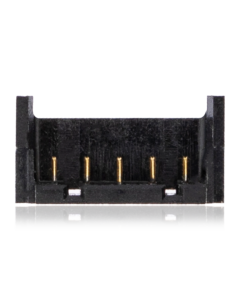
Difficulty: Moderate
Time: 20–40 min Our repairs: 90-day warranty
Joy-Con drift — where your character moves on its own — is almost always a worn analog stick. The permanent fix is replacing the joystick module; a Hall-effect stick never drifts again. This guide shows how to open the Joy-Con, swap the stick, and calibrate it so the drift is gone for good.
Before you start:
- Joy-Cons use tri-point (Y00) screws — use the right bit or you'll strip them.
- The ribbon cables inside are tiny and fragile; lift connector latches gently.
- Keep track of the battery and trigger springs.
What you'll need
- The replacement partshop parts — for your exact model
- Precision Driver Kitwe stock it
- Precision Spudger & Opening Toolwe stock it
- ESD Tweezerswe stock it
- Shop all repair tools →
Choosing your part: Drift is usually a worn analog stick. A replacement joystick module (or a Hall-effect stick that never drifts) is the real fix — cleaning is only temporary.
Step-by-step
- 1 Open the Joy-ConRemove the four tri-point screws on the back and carefully separate the housing.
- 2 Disconnect the batteryUnclip the battery and move it aside to reach the joystick.
- 3 Replace the stickUnscrew and unplug the old analog stick, plug in and screw down the new module (Hall-effect recommended).
- 4 Test before closingReconnect the battery, reattach the Joy-Con, and calibrate the stick in the Switch settings to confirm drift is gone.
- 5 ReassembleReseat the ribbons, close the housing and reinstall the four screws.
Not comfortable doing it yourself? We've got you. Mail it in from anywhere in the US, or book our New Haven shop (appointment preferred — call or text ahead). Most repairs are done same-day with a 90-day warranty.
Get a repair quote Mail-in repair